
Posture reminders on a Mac: the four ways they work, compared
By Dipanshu Goyal · · Updated
Short version
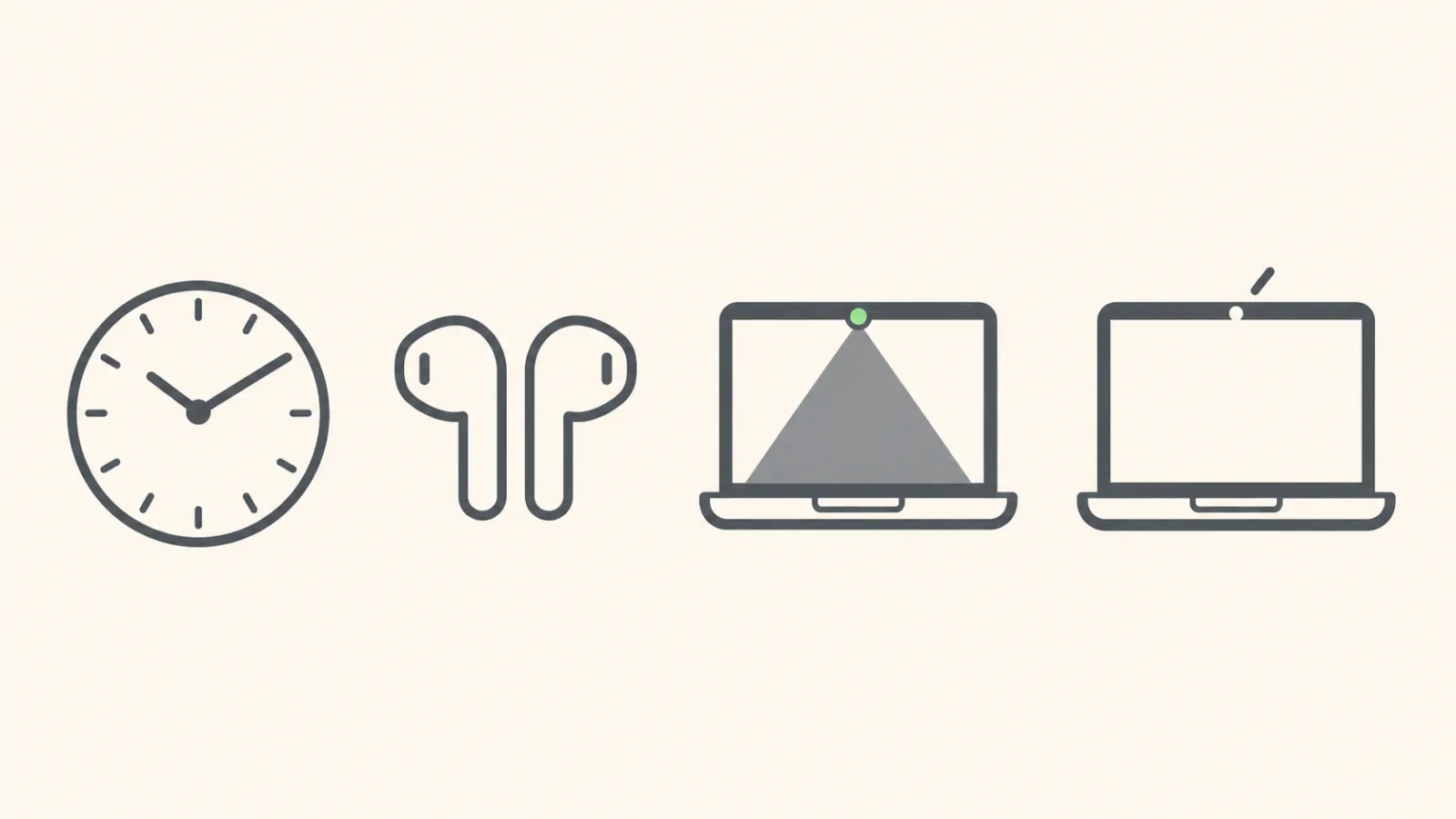
- A posture reminder on a Mac works in one of four ways: a timer, AirPods motion sensors, a webcam that watches continuously, or a webcam that looks for a second or two now and then. The last one is the least known and the one I measured: on an M1, Slumpy’s own Continuous mode used about 28% of a core; its checks of a second or two idled at 2–3%.
- Timers cannot tell whether you are slouching. They remind you on a schedule, which is still useful: interrupting long sitting is the one thing with a proper trial behind it.
- AirPods sensors see your head angle only, and only while you wear them. No camera, but no shoulders or torso either.
- A continuous webcam sees the most and reacts fastest. The trade-offs are a camera that is on all day, battery, and whether the app keeps or sends anything.
- Occasional checks give up a few minutes of reaction time to keep the camera off about 99% of the time. Good if the always-on light or the battery cost is what has kept you from a posture app; a poor fit if you want second-by-second feedback.
No trial has compared these four head to head, so this is a comparison of mechanisms, not of outcomes. Braces and stick-on wearables aren’t covered here; posture app vs posture corrector compares those. Where I state a fact about a specific app, it comes from that app’s App Store listing or site on the date in brackets. The full comparison table has the prices.
Why the mechanism matters more than the mascot
Every posture app ends the same way: something on screen asks you to sit up. What differs is how the app decided you were slouching. That decision sets everything else: what it can notice, how often it is wrong, whether a camera is on, and what the app has to store to do its job.
The evidence on sitting is also clearer about interruption than about shape. A six-month randomised trial of 193 office workers found that prompting people to shift posture or take an active break roughly halved new neck pain compared with controls. Whether a perfect sitting posture prevents pain is much less settled. A 2019 editorial in a physiotherapy journal says plainly that the evidence for it is weak. So the question to ask an app is not “will it make my spine straight” but “will it get me to move before I have been slumped for an hour”.
The four approaches at a glance
| How it decides you are slouching | Timer | AirPods sensors | Continuous webcam | Occasional webcam checks |
|---|---|---|---|---|
| Knows whether you are slouching | No | Head and neck angle only | Yes: head and neck; shoulders in some apps | Yes, at each check |
| Reaction time | Fixed interval | Seconds | Seconds | Up to a few minutes |
| Camera | Off | Off | On the whole session | On for a second or two every few minutes |
| Needs | Nothing | Supported AirPods, worn | Built-in or external camera, decent light | Built-in or external camera, decent light |
| Typical privacy question | None | Motion data | Is video processed on the Mac only? Is anything stored? | Is that look of a second or two processed on the Mac only? Is anything stored? |
| Battery and CPU | Negligible | Low | Highest of the four: camera and model run all session (Slumpy’s own Continuous mode: about 28% of one M1 core, my measurement, approach 4) | Low: about 2–3% of a core between checks (Slumpy’s own Random-checks mode, same measurement) |
| Examples on Mac (all menu bar apps) | Break-reminder apps | Posture Pal, Dorso (AirPods mode) | SitApp, Dorso (camera mode; formerly Posturr), Nekoze, Posture Reminder AI (formerly PostureNet) | Slumpy |
1. Timers: reminders on a schedule
The oldest approach. Every 20, 30 or 60 minutes a notification asks you to sit up, stretch, or stand. The app knows nothing about your body; it knows the time.
That sounds like a weakness, and for posture it is: you can be perfectly upright and still get nagged, or slumped for 29 minutes and hear nothing. And the trial above did not watch posture at all. Its prompts came from a seat pad that tracked how long people had been sitting, and they still cut new pain. Interrupting the sitting was the active ingredient. If all you want is to break up sitting, a timer does it with zero privacy questions and zero setup.
Where timers fail is habituation. A notification that is always the same, and never earned, becomes invisible. Most people reading this have already dismissed one into oblivion.
Pick a timer if you want stand-up breaks more than posture correction, or you will not run anything that touches the camera.
2. AirPods motion sensors: head angle, no camera
Posture Pal and Dorso’s AirPods mode read the motion sensors inside supported AirPods to track how far your head has tilted forward or down. The supported models are AirPods 3, Pro and Max, and Beats Fit Pro [Posture Pal listing, 13 Nov 2026]. When the angle crosses a threshold for long enough, you get a nudge.
What you get: no camera, no lighting problems, works even if you turn away from the screen, and the nudge is quick. What you give up: the app sees only your head. Rounded shoulders with a level head read as fine. You also have to be wearing the AirPods, which for many people means a few hours a day at most.
Pick AirPods sensing if you already wear AirPods most of the day and the idea of a camera app is a hard no.
3. A webcam that watches all the time
A continuous webcam posture app, the slouch detector most people picture, keeps the camera on while the app runs. A small model estimates your head position (and in some apps your shoulders) every frame or every few seconds, and the app reacts within moments when you slump. SitApp, Dorso’s camera mode, Nekoze and Posture Reminder AI all work this way [listings checked 13 Nov 2026]. On the comparison page, the camera column for each says Continuous.
It is the most capable approach. It can catch the slump as it starts, some apps see shoulders as well as head, and the better ones calibrate to how you sit rather than to a textbook angle. Several of them process everything on the Mac and say so. Dorso and Posture Reminder AI carry Apple’s “Data Not Collected” label; SitApp’s label lists data linked to you (including email, purchase history, user ID, device ID) [App Store, 13 Nov 2026].
The costs are the obvious ones. The green camera light is on all day, which some people stop noticing and some never do. Continuous inference uses CPU and, on a MacBook, battery. And the privacy question is not just “is video uploaded” (for the apps above, it is not) but “how much footage is being looked at”: all of it, all day.
Pick continuous watching if you want the fastest possible feedback and the camera light does not bother you. If you are on a desktop Mac plugged in, battery is not a factor. How to check what a webcam app actually does with the camera: webcam posture apps and privacy.
4. A webcam that only looks now and then
An occasional-check posture app turns the camera on for a second or two at random intervals of a few minutes, estimates your posture from that single look, and turns the camera off again. Slumpy, a posture reminder app for Mac that I make, works this way, so read this section knowing that.
Across a working day the camera is off roughly 99% of the time. If a check finds you slumped, Slumpy’s dinosaur slumps with you first. Stay slumped and a gentle screen effect spreads until you sit up.
What you gain is a camera that is almost never on, with the lower battery use and the smaller privacy footprint that follows from looking at far fewer frames. The difference is measurable. On an M1 MacBook, Slumpy’s own Continuous mode runs at about 28% of one core while it watches, and its Random-checks mode idles at about 2–3% between looks. I measured both on a Release build with a real camera; other apps will differ, but the mechanism is the same. Slumpy also pauses itself during video calls, presentations and screen sharing. No camera footage is recorded or uploaded — detection runs entirely on your Mac. Its App Store label is “Data Not Collected”.
What you lose is reaction time. A check every few minutes means you can slouch for a couple of minutes before anything happens. For most desk slouching, which is slow and lasts an hour, that is fine. The point is to be caught before you have been slumped all afternoon. If you want feedback within seconds, or you are correcting a specific movement, continuous watching is the better tool. Slumpy has a Continuous mode for exactly that.
The other limits are plain: Apple silicon and macOS 15 or later only, and it needs a camera. There is no AirPods mode.
Pick occasional checks if the always-on camera is what has stopped you from using a posture app so far, and a nudge within a few minutes is soon enough.
How to choose in one minute
- Will you run a camera app at all? No → timer, or AirPods if you wear them all day.
- Do you need to know within seconds, or within a few minutes? Seconds → continuous webcam. Minutes → occasional checks.
- Laptop on battery most of the day? That pushes you toward occasional checks or AirPods: a camera plus a model running all session costs roughly ten times the CPU of one look every few minutes (Slumpy’s own figures, approach 4).
- Check the privacy label, not the marketing. Apple’s label is on every App Store page under “App Privacy”; “Data Not Collected” is the strictest. Then read the listing for the word continuous or background to learn how long the camera is on.
- Whatever you choose, keep a stand-up reminder. It is the part the evidence supports best.
Setting the desk up first helps whichever you pick: how to sit at a computer.
Questions people ask
Which Mac posture apps don’t record video?
None of the camera apps named here records or uploads video according to their listings, but the Apple privacy label is the thing to check: Slumpy, Dorso and Posture Reminder AI show “Data Not Collected”; SitApp shows “Data Linked to You” (including email, purchase history, user ID, device ID); SitWit shows “Data Not Linked to You” [App Store, 13 Nov 2026]. The label says what the app collects, not how long the camera is on; for that, read the listing for continuous or background.
Is there a slouch detector for Mac that doesn’t keep the camera on?
Yes: an occasional-check app (approach 4) looks for a second or two every few minutes and keeps the camera off in between. Slumpy is the only one I found on the Mac App Store that works this way [listing, 13 Nov 2026]; continuous-webcam apps keep the camera on for the whole session.
Do posture apps work without AirPods or a camera?
Only timers do, and a timer cannot tell whether you are slouching; it can only remind you to move on a schedule. Every app that actually detects slouching needs either supported AirPods or a camera. Whether any of them changes posture for good is a separate question — here is the evidence.
Do I still need a stand-up reminder if the app watches my posture?
Yes. The trial evidence is for interrupting long sitting, not for holding a shape. Slumpy and SitApp include one; Dorso’s listing describes a timed pause but no reminder [App Store, 17 Nov 2026]; check the others’ listings.
Prices, macOS minimums and what each app’s listing actually says are in the comparison table, checked on the date shown there.