
How to stop slouching at your desk (and make it stick)
By Dipanshu Goyal · · Updated
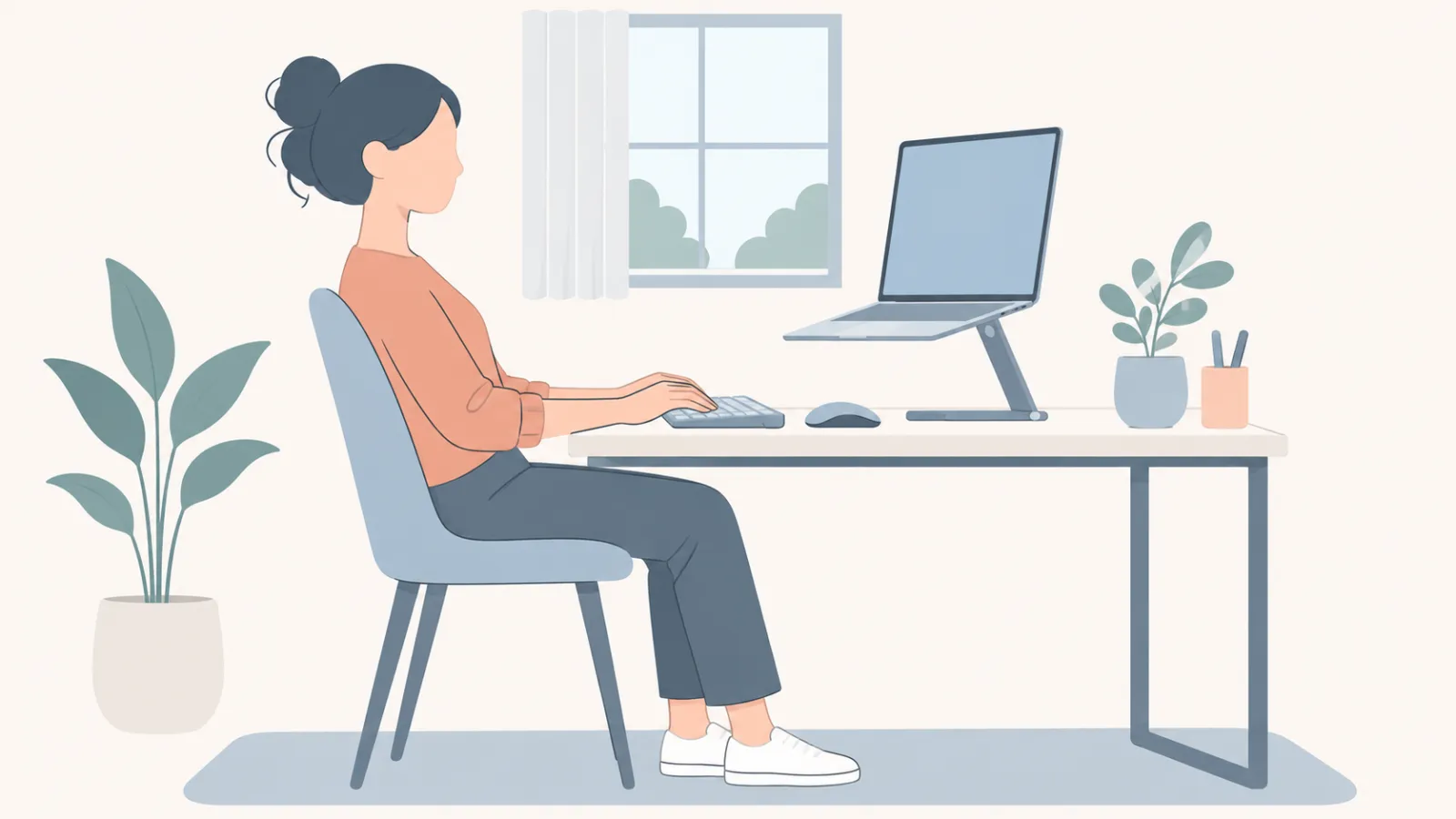
The short version
- No study shows that one “correct” sitting posture prevents back or neck pain. Staying in any position too long is the problem.
- The best-supported fix is simple: change position every 20–30 minutes and get up for a couple of minutes every hour.
- Put the screen at eye level. If you work on a laptop, raise it and add a keyboard; that alone takes about 11° of bend out of your neck.
- Strengthening the neck and shoulders helps most if you already hurt.
- Reminders work while they’re on. Treat them as a cue, not a cure.
Why you slouch at your desk
It isn’t a character flaw. It’s what a body does when it holds one position for a long time. In two JAMA studies from 2019 and 2025, US adults reported sitting around six hours a day, most of it in front of a screen.
Over an hour of focused work the chin drifts forward, the shoulders round, and the pelvis rolls back so the lower back flattens. Your attention is on the work, not the spine. The neck pays first. Studies collected in a 2018 Physical Therapy review put neck pain at 42–63% of office workers in a given year, the highest rate of any occupation.
Is “sit up straight” actually right?
Mostly no. There is no strong evidence that sitting “incorrectly” causes spinal pain. A 2019 editorial in a leading physiotherapy journal pointed out that a large posture industry has grown up regardless.
Rigid upright sitting is itself a static posture, and static is the problem. Cornell’s ergonomics group puts it bluntly: “Erect sitting is NOT relaxed, sustainable sitting, reclined sitting is.” They recommend a 100–110° recline over a 90° right angle. OSHA lists four acceptable working postures, not one.
So the goal is not a perfect position. It is more positions, more often.
What actually works
Ranked by how good the evidence is.
| What | Evidence | What it does |
|---|---|---|
| Breaking up sitting with prompted breaks or posture shifts | 6-month randomised trial, 193 office workers | Roughly halved new neck pain; cut new low-back pain more |
| Neck and shoulder strengthening | Meta-analyses | Reduces existing neck pain; improves forward-head angle |
| Screen at eye level, laptop on a stand | Lab studies + OSHA/Cornell guidance | Removes ~11° of neck bend; less neck load and strain |
| Sit-stand desk | Meta-analysis | Small reduction in low-back discomfort; the benefit is the switching |
| Posture reminders and feedback | Short lab studies, one systematic review | Better posture while on; no evidence yet that it lasts after |
1. Move more often
In a six-month trial of 193 office workers at high risk of pain, some were prompted to take short active breaks or shift posture. They had roughly half the rate of new neck pain, and far less new low-back pain, than the control group. The prompts came from purpose-built equipment and the confidence intervals are wide, but it is the clearest evidence that interrupting sitting prevents pain rather than just feeling virtuous.
How often? Cornell’s Alan Hedge suggests about 20 minutes sitting, 8 standing, 2 moving, and calls it “a ball park goal”. It has never been tested head-to-head, so the honest rule is: change position every 20–30 minutes, and spend two minutes on your feet every hour.
A standing desk helps, but less than the adverts say. The pooled effect on low-back discomfort is small. Hedge also notes that static standing is even more tiring than static sitting. Alternate; don’t just stand.
2. Put the screen where your neck wants it
Setup alone won’t cure pain, but it removes the reason to crane in the first place, and it is free.
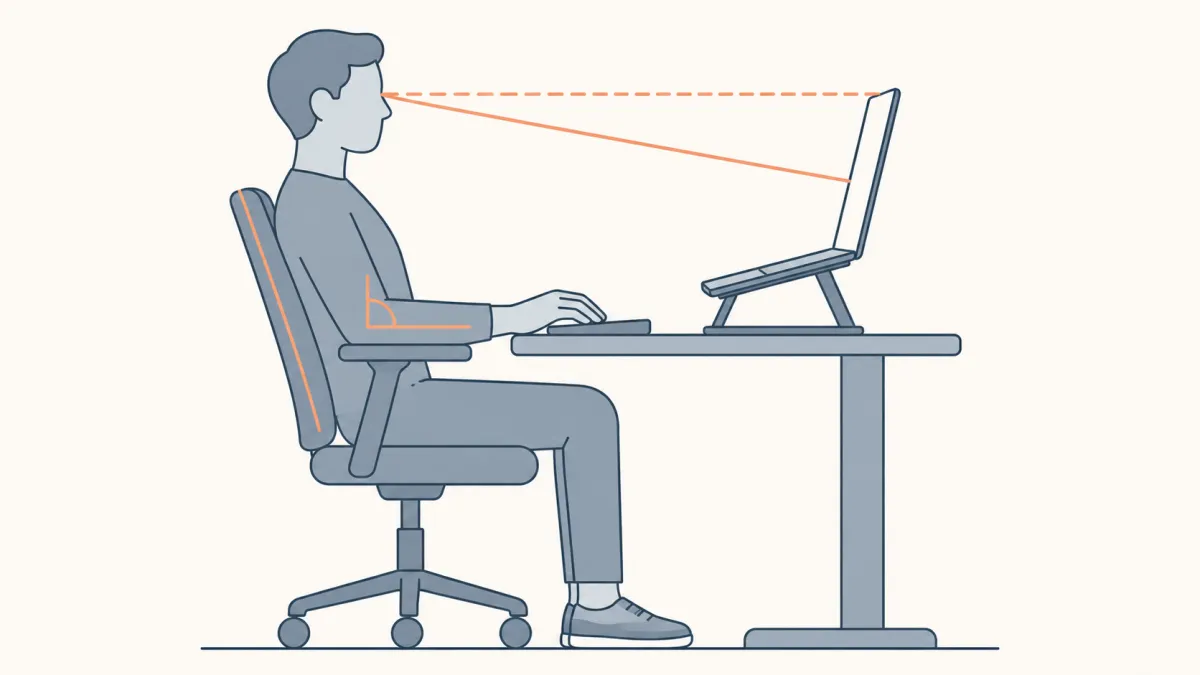
- Screen. Centre of the monitor 15–20° below eye level, directly in front of you, about an arm’s length away, as both OSHA and Cornell advise. Too low and you crane forward.
- Chair. Elbows at 90–120°, thighs level, feet supported. Adjustability matters because it lets you change position.
- Laptop. This is the big one for Mac users. In a motion-capture study, working on a bare laptop bent the neck about 11° more than working on a desktop computer. An older study found a stand plus keyboard cut the load on the lower neck by about a quarter. Cornell’s verdict: laptop design “inherently is problematic”, because when the screen is right the keyboard isn’t. Raise the laptop; add a keyboard. The MacBook-specific setup, including what to do on a sofa or train, is in Laptop posture.
The full set of numbers — screen, arms, chair, feet, laptop — is in How to sit at a computer.
3. Strengthen what holds you up
If your neck already hurts, exercise has the strongest evidence of anything here. In a 2018 review, neck and shoulder strengthening at work reduced neck pain in office workers who had it. Across seven trials, corrective exercise reliably improved forward-head angle and moderately improved pain. Ten minutes, three times a week, is a sensible start. If your head sits in front of your shoulders, Forward head posture: what fixes it has the exercise evidence.
4. Reminders: useful, with limits
This is where the evidence is thinnest, and we make a posture app, so we should be the ones saying so.
Feedback changes posture while it’s running. In a 2019 study, a vibrating wearable reduced neck bend during an hour of typing, though not the pain. A 2025 systematic review found consistent short-term posture improvements and called the overall evidence “insufficient to support definitive clinical recommendations”. A 2025 meta-analysis found that generic break timers don’t meaningfully cut total daily sitting. They do break up long stretches, which is the part your neck cares about.
What nobody has tested is whether the improvement lasts after the feedback stops. So the right way to think about a reminder is not as treatment but as a cue. The useful ones are the ones you don’t have to remember to set. That was the design brief for Slumpy: instead of a timer that nags on schedule, a quick random check that catches the moment you’ve slumped and stopped noticing. For what the trials actually show about feedback devices, see Do posture apps actually work?.
How to make it stick
Habits form around a stable cue. In the best-known study of real-world habit formation, people repeated a small behaviour daily in the same context for 12 weeks. The median time to reach peak automaticity was 66 days, but the range was 18 to 254, and missing a day made little difference. The number to remember isn’t 66. It’s that everyone tied the behaviour to the same daily cue, and the people who repeated it most consistently showed the clearest habit curve.
How long each part takes — the first hour, the muscles, the habit, the pain — is laid out in How long does it take to fix your posture?.
The second tool is the if-then plan: “If it’s the top of the hour, then I stand up and roll my shoulders.” Meta-analyses from 2006 and 2024, covering hundreds of studies, find that these reliably improve follow-through. The effect is modest, not magic.
Put together, the plan the evidence supports:
- Once: raise the screen to eye level. Laptop on a stand, external keyboard. Chair so your elbows sit at desk height; recline a little.
- Every 20–30 minutes: change position. Lean back, sit forward, take a call standing.
- Every hour: two minutes on your feet, tied to something that already happens — a task done, a meeting ended.
- Three times a week: ten minutes of neck and shoulder strengthening.
- A cue you didn’t have to set. Something that notices the slump for you.

Where Slumpy fits
Slumpy is a posture reminder app for Mac built around that last step. Every few minutes it takes a random look of a second or two through the camera, so the camera is off 99% of the time. It compares what it sees with how you sit when you’re comfortable, and nudges you when you’ve drifted. First a small dinosaur slouches along with you; stay slumped and a gentle screen effect spreads until you sit up. It also reminds you to stand after 90 minutes of sitting (you can set 60, 90 or 120), which is the break the trial evidence actually supports. No video is recorded or uploaded, it works offline, and it pauses by itself during calls and presentations.
It’s a cue, not a treatment. Pair it with the setup and the exercises above and it has something worth reminding you of.
We compared the Mac posture apps side by side.
Choosing an app? Posture reminders on a Mac: the four ways they work, compared explains timers, AirPods, continuous and occasional webcam checks.
Slumpy is a posture reminder app for Mac. It’s free on the Mac App Store — 3 hours of posture checks a day, no credit card, no account.
Sources (opened and checked 12 November 2026): Slater et al. 2019 · Yang et al. 2019 · Li et al. 2025 · Chen et al. 2018 · Cornell CUErgo · Cornell Sit-Stand Programs · OSHA Computer Workstations · Waongenngarm et al. 2021 · Agarwal et al. 2018 · Yu et al. 2018 · Berkhout et al. 2004 · Sheikhhoseini et al. 2018 · Kuo et al. 2019 · Caixeiro et al. 2025 · IJBNPA 2025 meta-analysis · Lally et al. 2010 · Gollwitzer & Sheeran 2006 · Sheeran et al. 2024